Python 生成器
目录
学习目标
- 理解生成器的概念和工作原理
- 掌握生成器函数和生成器表达式
- 学会使用
yield关键字 - 理解生成器的状态保存机制
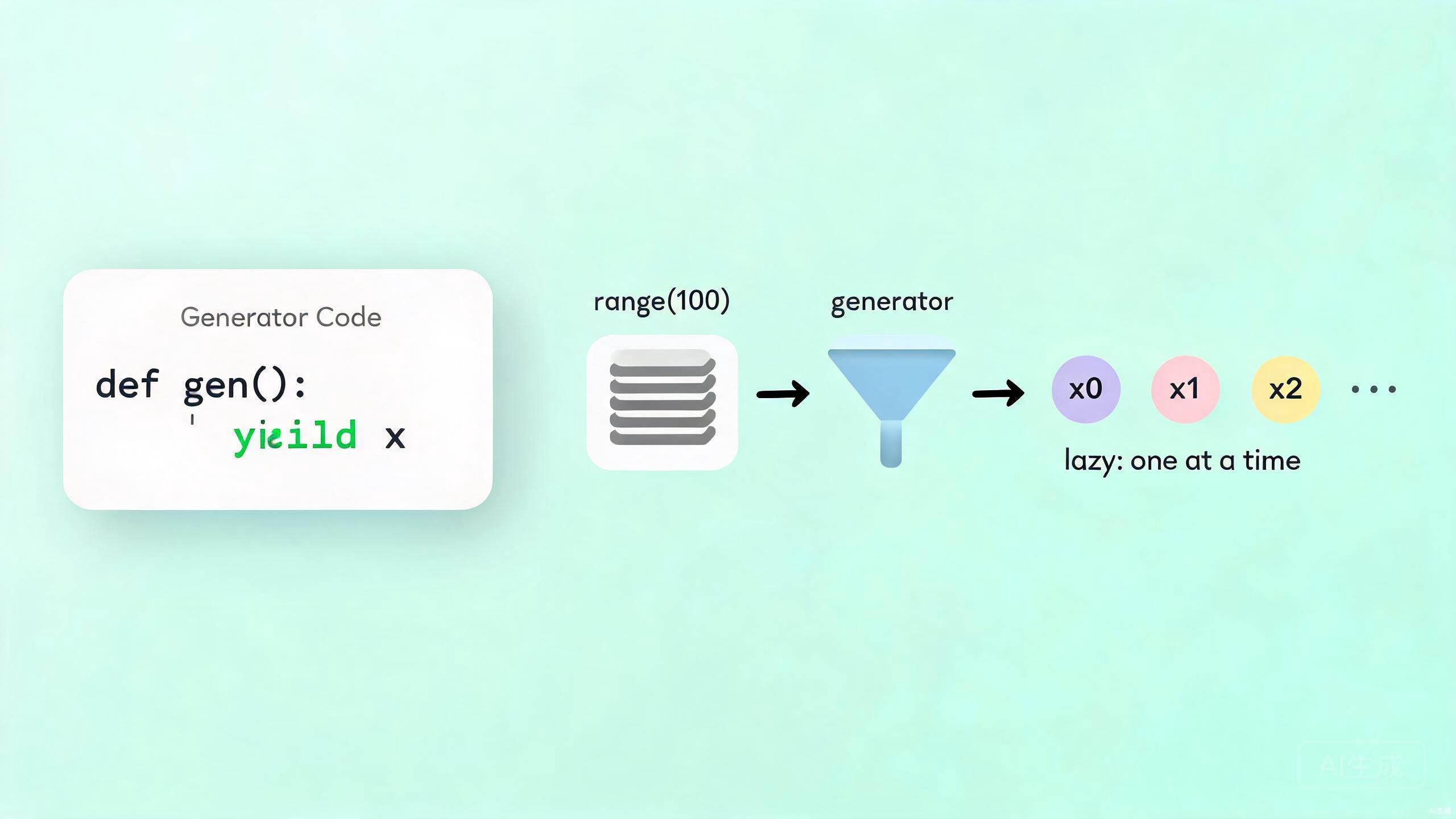
1. 什么是生成器
**生成器(Generator)**是一种特殊的迭代器,它使用函数来定义,通过 yield 关键字返回值,可以暂停和恢复执行。
# 普通函数:一次性返回所有结果
def get_squares(n):
    result = []
    for i in range(n):
        result.append(i ** 2)
    return result

# 生成器函数:每次只返回一个值
def gen_squares(n):
    for i in range(n):
        yield i ** 2

# 对比
print(get_squares(5))      # [0, 1, 4, 9, 16]
print(list(gen_squares(5)))  # [0, 1, 4, 9, 16]
2. yield 关键字
2.1 基本用法
def simple_generator():
    """简单生成器"""
    print("开始执行")
    yield 1
    print("继续执行")
    yield 2
    print("再次继续")
    yield 3
    print("执行结束")

# 创建生成器对象
gen = simple_generator()

# 每次调用 next() 继续执行
print(next(gen))  # 开始执行 -> 1
print(next(gen))  # 继续执行 -> 2
print(next(gen))  # 再次继续 -> 3
# print(next(gen))  # 执行结束 -> StopIteration
2.2 生成器的惰性特性
def count_up_to(n):
    """计数生成器"""
    count = 1
    while count <= n:
        print(f"生成: {count}")
        yield count
        count += 1

# 创建生成器(不会立即执行)
counter = count_up_to(3)
print("生成器已创建,但还未执行")

# 按需获取值
print(f"获取: {next(counter)}")
print(f"获取: {next(counter)}")
print(f"获取: {next(counter)}")
输出:
生成器已创建,但还未执行
生成: 1
获取: 1
生成: 2
获取: 2
生成: 3
获取: 3
3. 生成器函数
3.1 斐波那契生成器
def fibonacci(n):
    """斐波那契数列生成器"""
    a, b = 0, 1
    count = 0
    while count < n:
        yield a
        a, b = b, a + b
        count += 1

# 使用生成器
for num in fibonacci(10):
    print(num, end=" ")
# 0 1 1 2 3 5 8 13 21 34
3.2 文件读取生成器
def read_file_line_by_line(filename):
    """逐行读取文件"""
    with open(filename, 'r', encoding='utf-8') as f:
        for line in f:
            yield line.strip()

# 使用示例(假设文件存在)
# for line in read_file_line_by_line('data.txt'):
#     print(line)
3.3 无限生成器
def infinite_counter(start=0):
    """无限计数生成器"""
    while True:
        yield start
        start += 1

# 取前10个
counter = infinite_counter(100)
for _ in range(10):
    print(next(counter), end=" ")
# 100 101 102 103 104 105 106 107 108 109
4. 生成器表达式
生成器表达式是列表推导式的惰性版本,使用圆括号 ()。
# 列表推导式 - 一次性创建所有元素
squares_list = [x**2 for x in range(1000000)]  # 占用大量内存

# 生成器表达式 - 按需生成
squares_gen = (x**2 for x in range(1000000))   # 几乎不占用内存

# 对比内存使用
import sys
print(f"列表大小: {sys.getsizeof(squares_list)} 字节")
print(f"生成器大小: {sys.getsizeof(squares_gen)} 字节")

# 使用生成器表达式
squares_gen = (x**2 for x in range(10))
for square in squares_gen:
    print(square, end=" ")
# 0 1 4 9 16 25 36 49 64 81
4.1 生成器表达式 vs 列表推导式
| 特性 | 列表推导式 | 生成器表达式 |
|---|---|---|
| 语法 | [...] |
(...) |
| 内存 | 立即占用 | 惰性计算 |
| 遍历次数 | 可多次 | 只能一次 |
| 索引访问 | 支持 | 不支持 |
| 适用场景 | 数据量小 | 数据量大 |
# 链式使用生成器表达式
data = range(100)

# 步骤1: 筛选偶数
evens = (x for x in data if x % 2 == 0)

# 步骤2: 计算平方
squares = (x**2 for x in evens)

# 步骤3: 筛选大于100的
result = (x for x in squares if x > 100)

# 只在最后遍历时才真正计算
print(list(result)[:5])
5. yield from
yield from 用于委托生成器,可以将一个可迭代对象的值逐个 yield 出来。
5.1 基本用法
def sub_generator():
    """子生成器"""
    yield 1
    yield 2
    yield 3

def main_generator():
    """主生成器"""
    yield "开始"
    yield from sub_generator()
    yield "结束"

# 使用
for item in main_generator():
    print(item)
输出:
开始
1
2
3
结束
5.2 对比 yield from 和 for + yield
def flatten_manual(nested_list):
    """手动展平嵌套列表"""
    for sublist in nested_list:
        for item in sublist:
            yield item

def flatten_yield_from(nested_list):
    """使用 yield from 展平"""
    for sublist in nested_list:
        yield from sublist

# 测试
nested = [[1, 2], [3, 4, 5], [6]]

print("手动展平:", list(flatten_manual(nested)))
print("yield from:", list(flatten_yield_from(nested)))
# 结果相同: [1, 2, 3, 4, 5, 6]
6. 生成器的状态
生成器可以保存执行状态,包括局部变量和指令指针。
def stateful_generator():
    """展示状态保存"""
    print("状态1: 开始")
    x = 10
    yield x

    print("状态2: x 的值仍然是", x)
    x += 5
    yield x

    print("状态3: x 现在是", x)
    x *= 2
    yield x

    print("状态4: 最终 x =", x)

gen = stateful_generator()

print("=== 第一次调用 ===")
print(next(gen))

print("\n=== 第二次调用 ===")
print(next(gen))

print("\n=== 第三次调用 ===")
print(next(gen))
输出:
=== 第一次调用 ===
状态1: 开始
10

=== 第二次调用 ===
状态2: x 的值仍然是 10
15

=== 第三次调用 ===
状态3: x 现在是 15
30
7. send() 方法
生成器支持 send() 方法,可以从外部向生成器发送数据。
def interactive_generator():
    """交互式生成器"""
    print("生成器启动")

    # 第一次必须 send(None)
    received = yield "准备好接收数据"
    print(f"收到: {received}")

    received = yield f"已处理 {received}"
    print(f"收到: {received}")

    yield f"最终处理 {received}"

gen = interactive_generator()

# 启动生成器
result = next(gen)  # 或 gen.send(None)
print(f"生成器返回: {result}")

# 发送数据
result = gen.send("Hello")
print(f"生成器返回: {result}")

result = gen.send("World")
print(f"生成器返回: {result}")
输出:
生成器启动
生成器返回: 准备好接收数据
收到: Hello
生成器返回: 已处理 Hello
收到: World
生成器返回: 最终处理 World
8. 实际应用
8.1 数据流处理管道
def read_lines(filename):
    """读取文件行"""
    with open(filename, 'r') as f:
        for line in f:
            yield line.strip()

def filter_comments(lines):
    """过滤注释行"""
    for line in lines:
        if not line.startswith('#'):
            yield line

def parse_csv(lines):
    """解析 CSV 格式"""
    for line in lines:
        yield line.split(',')

# 构建处理管道(假设文件存在)
# pipeline = parse_csv(filter_comments(read_lines('data.csv')))
# for row in pipeline:
#     print(row)
8.2 分页数据加载
def paginated_data(page_size=10):
    """模拟分页加载数据"""
    total_records = 100
    current_page = 0

    while current_page * page_size < total_records:
        # 模拟从数据库加载
        start = current_page * page_size
        end = min(start + page_size, total_records)
        page_data = list(range(start, end))

        print(f"加载第 {current_page + 1} 页")
        yield page_data

        current_page += 1

# 使用
for page in paginated_data(20):
    print(f"处理: {page}")
8.3 生成器实现 range
def my_range(start, stop=None, step=1):
    """自定义 range 生成器"""
    if stop is None:
        stop = start
        start = 0

    if step == 0:
        raise ValueError("step 不能为 0")

    if step > 0:
        while start < stop:
            yield start
            start += step
    else:
        while start > stop:
            yield start
            start += step

# 测试
print("range(5):", list(my_range(5)))
print("range(1, 6):", list(my_range(1, 6)))
print("range(0, 10, 2):", list(my_range(0, 10, 2)))
print("range(10, 0, -2):", list(my_range(10, 0, -2)))
本节小结
- 生成器是一种特殊的迭代器,使用函数和
yield定义 - 惰性计算:按需生成值,节省内存
- 状态保存:可以暂停和恢复执行,保留局部变量
- 生成器表达式:
(x for x in iterable),更简洁的语法 yield from:委托子生成器,简化嵌套生成器send():向生成器发送数据,实现双向通信
练习
- 创建一个生成器,能够生成指定范围内的素数
- 实现一个文件搜索生成器,递归遍历目录并 yield 匹配的文件
- 使用生成器表达式重写:找出列表中所有偶数的平方和
- 创建一个无限生成器,生成所有可能的 RGB 颜色组合