Python 多线程编程
目录
学习目标
- 理解线程的概念和 GIL
- 掌握
threading模块创建线程 - 学会线程同步:锁、信号量、条件变量
- 理解线程池的使用
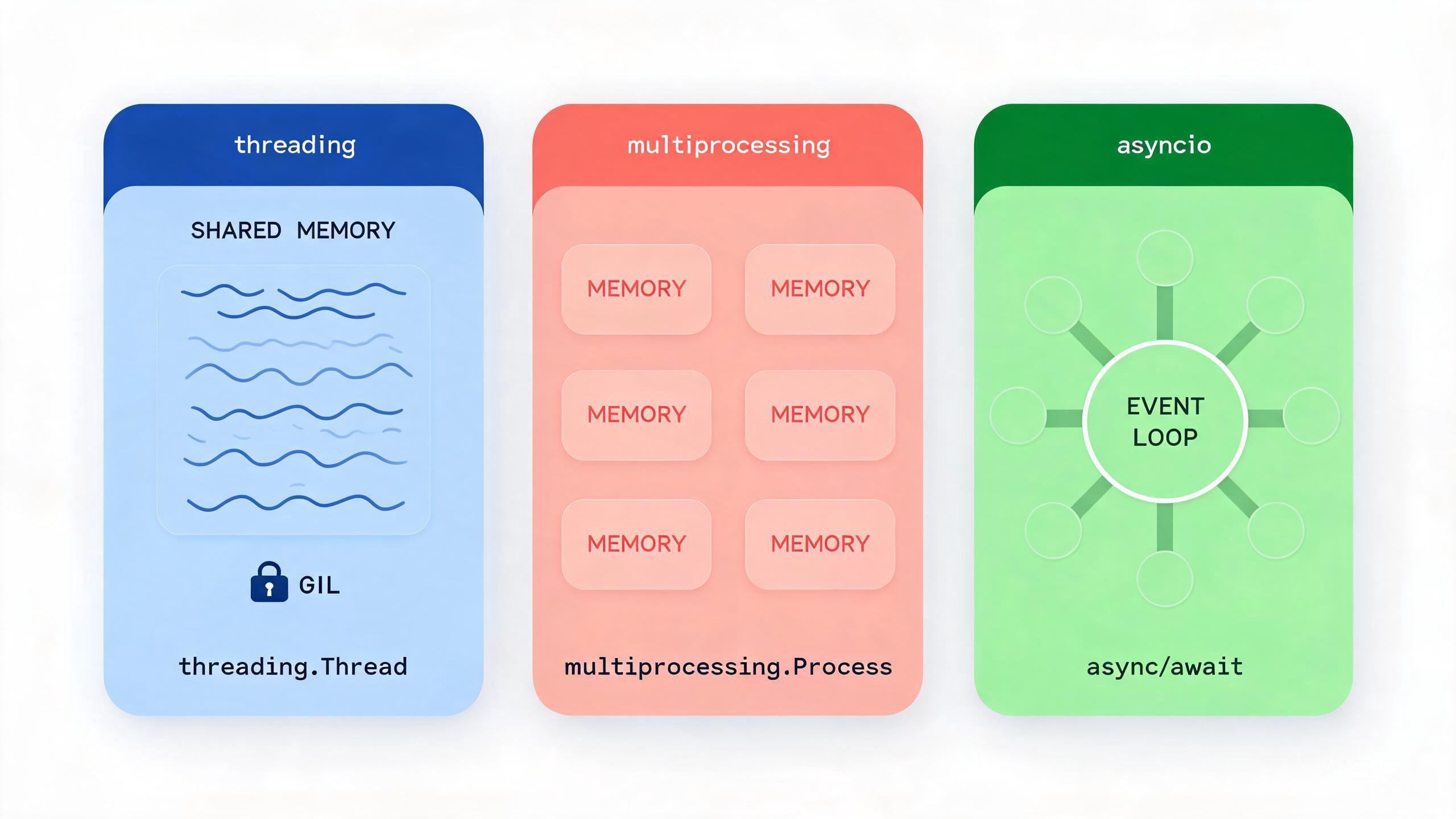
1. 线程基础
1.1 创建线程
import threading
import time

def worker(name, delay):
    """工作函数"""
    print(f"线程 {name} 开始")
    time.sleep(delay)
    print(f"线程 {name} 结束")

# 方法1:使用函数创建线程
t1 = threading.Thread(target=worker, args=("A", 2))
t2 = threading.Thread(target=worker, args=("B", 1))

t1.start()
t2.start()

# 等待线程完成
t1.join()
t2.join()

print("所有线程完成")
1.2 继承 Thread 类
import threading
import time

class MyThread(threading.Thread):
    """自定义线程类"""

    def __init__(self, name, delay):
        super().__init__()
        self.name = name
        self.delay = delay

    def run(self):
        """线程执行的内容"""
        print(f"线程 {self.name} 开始")
        time.sleep(self.delay)
        print(f"线程 {self.name} 结束")

# 使用
threads = [
    MyThread("工作1", 1),
    MyThread("工作2", 2),
    MyThread("工作3", 1),
]

for t in threads:
    t.start()

for t in threads:
    t.join()

print("全部完成")
2. 线程同步
2.1 Lock 锁
import threading
import time

# 共享资源
counter = 0
lock = threading.Lock()

def increment():
    global counter
    for _ in range(100000):
        # 获取锁
        lock.acquire()
        try:
            counter += 1
        finally:
            # 释放锁
            lock.release()

# 使用 with 语句(推荐)
def increment_safe():
    global counter
    for _ in range(100000):
        with lock:
            counter += 1

# 测试
threads = [threading.Thread(target=increment_safe) for _ in range(5)]
for t in threads:
    t.start()
for t in threads:
    t.join()

print(f"最终计数: {counter}")  # 500000
2.2 RLock 可重入锁
import threading

rlock = threading.RLock()

def outer():
    with rlock:
        print("外层获取锁")
        inner()  # 同一线程可以再次获取

def inner():
    with rlock:
        print("内层获取锁")

outer()
# 输出:
# 外层获取锁
# 内层获取锁
2.3 Semaphore 信号量
import threading
import time

# 限制同时访问的线程数(例如连接池)
semaphore = threading.Semaphore(3)

def access_resource(name):
    with semaphore:
        print(f"{name} 获取资源")
        time.sleep(2)
        print(f"{name} 释放资源")

# 10个线程,但最多3个同时执行
threads = [
    threading.Thread(target=access_resource, args=(f"线程{i}",))
    for i in range(10)
]

for t in threads:
    t.start()
2.4 Condition 条件变量
import threading
import time

condition = threading.Condition()
queue = []

def producer():
    for i in range(5):
        with condition:
            queue.append(i)
            print(f"生产: {i}")
            condition.notify()  # 通知消费者
        time.sleep(0.5)

def consumer():
    for _ in range(5):
        with condition:
            while not queue:
                condition.wait()  # 等待生产
            item = queue.pop(0)
            print(f"消费: {item}")

# 运行
p = threading.Thread(target=producer)
c = threading.Thread(target=consumer)

p.start()
c.start()
p.join()
c.join()
3. 线程通信
3.1 Queue 队列
import threading
import queue
import time

# 线程安全的队列
q = queue.Queue(maxsize=10)

def producer():
    for i in range(10):
        item = f"产品-{i}"
        q.put(item)
        print(f"生产: {item}")
        time.sleep(0.3)
    q.put(None)  # 结束信号

def consumer():
    while True:
        item = q.get()
        if item is None:
            break
        print(f"消费: {item}")
        q.task_done()  # 标记完成

# 运行
p = threading.Thread(target=producer)
c = threading.Thread(target=consumer)

p.start()
c.start()
p.join()
c.join()
3.2 Event 事件
import threading
import time

event = threading.Event()

def waiter():
    print("等待事件...")
    event.wait()  # 阻塞等待
    print("事件触发!")

def trigger():
    time.sleep(2)
    print("触发事件")
    event.set()  # 触发事件

t1 = threading.Thread(target=waiter)
t2 = threading.Thread(target=trigger)

t1.start()
t2.start()
t1.join()
t2.join()
4. 线程池
4.1 ThreadPoolExecutor
from concurrent.futures import ThreadPoolExecutor, as_completed
import time

def task(name, delay):
    time.sleep(delay)
    return f"{name} 完成"

# 创建线程池
with ThreadPoolExecutor(max_workers=3) as executor:
    # 提交单个任务
    future = executor.submit(task, "任务1", 2)
    print(future.result())

    # 批量提交
    tasks = [
        executor.submit(task, f"任务{i}", i)
        for i in range(1, 6)
    ]

    # 按完成顺序获取结果
    for future in as_completed(tasks):
        print(future.result())
4.2 map 方法
from concurrent.futures import ThreadPoolExecutor
import urllib.request

URLS = [
    'https://www.python.org',
    'https://www.google.com',
    'https://www.github.com',
]

def fetch_url(url):
    with urllib.request.urlopen(url, timeout=5) as response:
        return len(response.read())

with ThreadPoolExecutor(max_workers=3) as executor:
    # 按提交顺序返回结果
    results = executor.map(fetch_url, URLS)

    for url, size in zip(URLS, results):
        print(f"{url}: {size} bytes")
5. GIL 与线程适用场景
import threading
import time

# CPU 密集型 - 多线程不会加速(GIL 限制)
def cpu_bound(n):
    count = 0
    for i in range(n):
        count += i * i
    return count

# IO 密集型 - 多线程可以提高效率
def io_bound(delay):
    time.sleep(delay)
    return "完成"

# 测试 CPU 密集型
start = time.time()

threads = [
    threading.Thread(target=cpu_bound, args=(5000000,))
    for _ in range(2)
]
for t in threads:
    t.start()
for t in threads:
    t.join()

print(f"CPU 密集型(多线程): {time.time() - start:.2f}s")

# 串行执行
start = time.time()
cpu_bound(5000000)
cpu_bound(5000000)
print(f"CPU 密集型(串行): {time.time() - start:.2f}s")结论:由于 GIL(全局解释器锁),多线程不适合 CPU 密集型任务,适合 IO 密集型任务。
6. 线程本地存储
import threading

# 线程本地存储
thread_local = threading.local()

def process_request(request_id):
    # 每个线程有自己的数据
    thread_local.request_id = request_id
    thread_local.user = f"用户{request_id}"

    process_data()

def process_data():
    # 获取当前线程的数据
    print(f"处理请求 {thread_local.request_id},用户: {thread_local.user}")

# 多线程处理不同请求
threads = [
    threading.Thread(target=process_request, args=(i,))
    for i in range(3)
]

for t in threads:
    t.start()
for t in threads:
    t.join()
本节小结
- 创建线程:
Thread(target=...)或继承Thread类 - 锁:
Lock、RLock保护共享资源,with语句简化 - 信号量:
Semaphore限制并发数量 - 条件变量:
Condition实现生产者-消费者模式 - 线程池:
ThreadPoolExecutor简化线程管理 - GIL:多线程适合 IO 密集型,不适合 CPU 密集型
练习
- 使用多线程同时下载多个文件(使用
requests库) - 实现一个线程安全的计数器类
- 使用
Condition实现一个有限容量的阻塞队列 - 比较多线程和单线程处理 IO 密集型任务的性能差异